


Stream Team
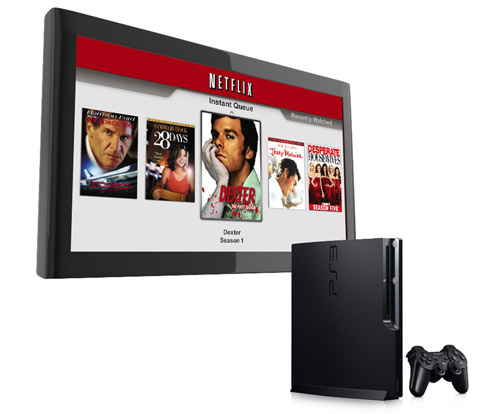
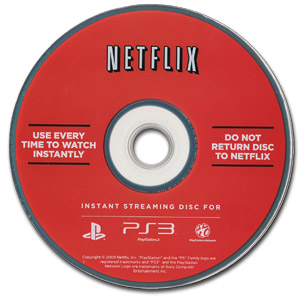
In the battle for online streaming dominance, it's hard to find flaws in the Netflix strategy: license as many hardware partners as quickly as possible in a concerted attempt to grab market share. And when Netflix announced late last month that they would soon have a streaming solution for Sony PS3 owners, they made good on that promise within weeks. In fact, we received our Netflix streaming PS3 disc this week, as promised so we decided to give it a quick spin.
UPDATE (10/14/10): Netflix and Sony are releasing a new PS3-optimized Netflix streaming app which dramatically improves the user experience as well as adding support for 1080i streaming and Dolby Digital Plus 5.1 Surround Sound. Find out more about it here:
Insert Disc, Press Play, Start Streaming
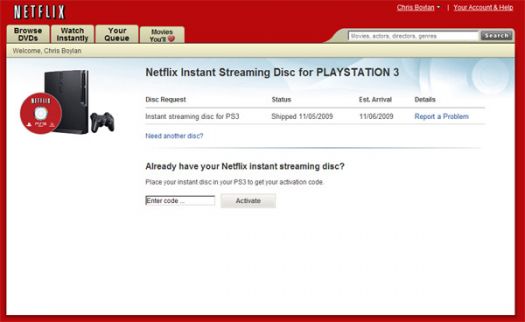
Well, not quite so simple at first, but close. I inserted the Blu-ray Disc into my PS3 and got a message that a firmware upgrade was required in order to proceed. About 15 minutes later, the 3.01 firmware finished downloading and the upgrade was complete. Then the PS3 rebooted and sucked the Netflix disc back in which was inserted in the slot. I then received a message to activate my PS3 at www.netflix.com/ps3 along with a 6-digit code, which I did from my PC. Within minutes, my Netflix instant queue showed up on screen on the PS3.
By the way, for those who visit that Netflix.com/PS3 URL today, depending on whether you are logged in to Netflix or not, and whether you have already ordered the Netflix PS3 Blu-ray Disc, you may see a different screen. Those who have not ordered the disc yet or are not logged on to their Netflix account, will most likely see a "Netflix Coming Soon to PS3" screen instead which allows you to give your e-mail address to be notified when streaming is generally available for the PS3. Netflix has apparently sent out 100,000 of these discs already and is logging requests for more.
Once everything was up and running, I noticed some differences between the way Netflix streaming looked on the PS3 and on other Blu-ray Players that have native Netflix streaming features, but they were minor. The "quality" bar that you see when waiting for a movie to start on (for example) the Netflix-enabled LG BD 390 and Samsung Blu-ray players was absent - we see only the "retrieving" bar, so you really don't have confirmation whether you're receiving a movie in HD.
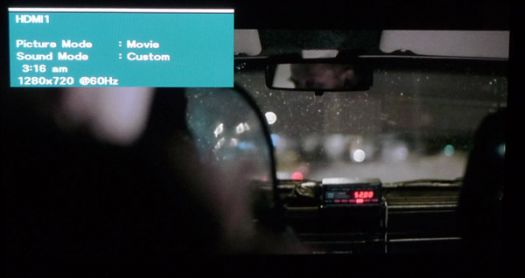
In fact, the first time I tried watching titles that were flagged as "HD" in my queue, a quick check on my TV's "info" function revealed that the PS3 was outputting a standard definition (720x480) stream, even on co-called HD content. After a quick re-boot of the PS3, I was able to stream HD titles in HD (720p). Also, on a couple of occasions, attempting to play a title in my queue failed with the message "Sorry, that title cannot be watched instantly at this time. Please try again later or play a different movie." Exiting out of Netflix streaming and back in via the PS3 XMB menu worked around that problem. Other than those glitches, Netflix streaming on the PS3 was solid, maintaining similar ergonomics and performance compared to the feature on other set-top boxes and Blu-ray players.
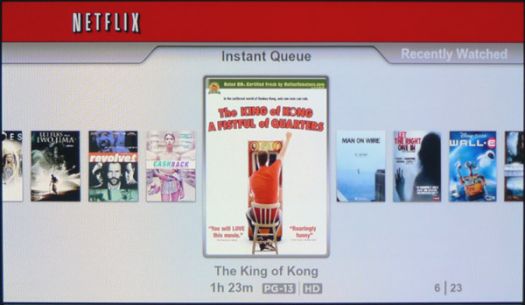
In terms of the usability, you can select from, but not add to, your instant queue. Adding to your queue is still something you must do from your PC or Web browser. The Netflix Streaming 2.0 interface that we've seen on upcoming VIZIO TVs at some trade shows (which does allow browsing and viewing films not already in your queue) is not available here. What you can do is see user ratings of the various titles in your queue and instantly view any title in your queue from the beginning, or from where you left off in a previous viewing session. Selection of new movies and TV shows is decent, but not as extensive as the pay-per-view offerings such as Amazon Videos-on-Demand and VUDU. But nor is there a per-rental fee on Netflix Instant Streaming: anyone on an unlimited Netflix plan can stream as many titles as they want, this being the primary advantage to Netflix over other online streaming services.
Turn Offs
Final Thoughts
Considering that Netflix Streaming for PS3 was only announced at the end of October, the fact that it is already working via a simple (and free) Blu-ray Disc and firmware upgrade is pretty impressive. Although there were a couple of glitches, we were able to watch several titles from beginning to end in HD quality with no issues whatsoever. The fact that a Blu-ray Disc must be inserted in the player for this to work is a minor annoyance that will undoubtedly be solved in the future with a true Netflix app on the PS3. But for now, chalk one more up to Netflix in their quest for any-device playability and for the PS3 in its expansion capabilities.
Netflix Free Trial Account:
Where to Buy:
| Overall | |
|---|---|
| Value | |
| Performance | |
| Features/Ergonomics |


